 Stash
StashA countdown, not a filing date
Every item shows what's left. Under six months it starts counting days, because "four months" and "three months" look identical at a glance.
The dishwasher dies in month 23 of a 24-month warranty and the receipt is in a drawer. Somewhere. The passport turns out to need six months' validity you haven't got. Stash it holds the paperwork, watches the dates, and tells you while you can still do something about it.


Squirrels stash thousands of nuts a season and come back for them months later. Seemed like the right hire.
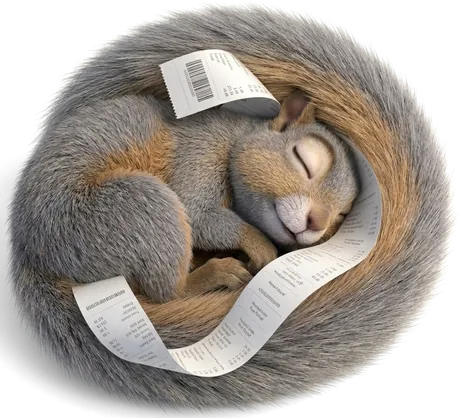
Scout keeps the ledger: what's covered, what's about to lapse, what's missing a receipt. When there's nothing left to do he falls asleep on the card — which is the most honest thing an app has ever told you.
Not a filing cabinet. It knows what you own, what you pay for, and how long any of it is still good for.

Every item shows what's left. Under six months it starts counting days, because "four months" and "three months" look identical at a glance.
A couch with a lifetime frame, ten years on the cushions and one on the fabric. Scout tracks all five and warns you about whichever quits first.
Product, serial plate, paperwork, several at once. Twenty seconds an item, which is the only reason anyone keeps doing it.
Share the order email to Stash it. Shop, date and price arrive filled in, attachment and all.
Because that's how you picture your house. "What's in the garage" is a scroll, not a search.
One file with everything in it. Back up now hands it to your share sheet — Drive, Files, an email to yourself. Wherever you keep things.
A passport tells you it expires in February. It doesn't tell you most countries want six months on it, or that renewal takes eight weeks. Stash it counts back from that and says when to start — and holds dates only, never a scan or a number.
Not "$94 a month" — which month is the heavy one. Add your subscriptions and a six-month curve shows where three annual plans happen to land together, and what renews next.
No sign-up, no email, no wizard. Open it and it's ready.

A website that installs like an app. No store, no account.
Photograph it, name it, say how long it's covered. The rest can wait.
Camera, files, or straight out of the order email.
Scout watches the dates so you can stop thinking about them.
A photo settles most claims. Not all of them — every so often somebody wants the original, and that's a bad afternoon to discover it went out with the packaging.
So Scout keeps both. The app holds the copy, the dates and the reminder; one folder in a drawer holds the proof. It takes four seconds and it doesn't need charging.

Most apps like this are a list of everything in your house, kept on somebody else's computer. This one isn't, because there isn't one. Read the full policy

Items, photos and documents go to your device's own storage. Nothing is uploaded.
No email, no password, no profile. Reminders need an address to bill — nothing else does.
Nobody can tell what you own, or that you opened the app. Me included.
Export one file and put it where you like. Connect Drive and it's your Drive.
Turn on the lock and the app won't open without your face or finger.
Delete the app and the data goes with it. No request, no ticket, no waiting.
The limits, plainly: the lock keeps the app shut, it doesn't encrypt anything. And with no server, a lost phone with no backup means lost data. Export one. That's the trade, and it should be yours to make.
Most home-inventory apps are abandoned by week two. This one is built around the twenty seconds it takes to add something.
No ad, no sign-in, no spinner waiting on a server. It's on your phone. It opens.
Basement, plane, back of a shop. There's nothing to be offline from.
Ranked by what it costs you. A receipt nobody will reissue beats a photo you can take this afternoon.
An ambiguous date is left blank rather than guessed. A blank field is obvious; a wrong one isn't.
One export file, documented format. No lock-in, because there's nothing to be locked into.
No ads, no data sale, no countdown to a paywall. The paid tier covers the one part that costs real money.



Twenty-five records free, forever — items, documents and subscriptions together. Past that, or if you'd rather Scout tapped you on the shoulder before something lapses, there's the paid tier.

Twenty-five records — items, documents and subscriptions, counted together. Every photo, receipt and manual you want to attach to them. Backups, offline, the fingerprint lock, the whole app. No account, no card, no expiry.
Or $1 a month, if you prefer. Unlimited records, for anyone whose garage alone runs past twenty-five. And notifications — told on the day something needs starting, with the app shut, rather than finding out next time you open it.
On the free tier nothing leaves your phone. Nothing. That doesn't change, and it never will.
Notifications are the exception, and they have to be — one cannot arrive from a phone that's switched off. So if you turn them on, exactly two things get sent: a delivery address your browser generates, and the days something is due. No email address, no name, no account. Not what the items are, not the photos, not what you paid.
What the notification says never leaves your phone. The wording is worked out on the device and kept in your browser's own cache; the message that arrives is empty and your phone fills it in. Nobody in the middle can read a notification they didn't write. Turn it off and the record is deleted.
That's the whole difference, and it's why notifications cost money — they're the only part of Stash it with a bill attached. The full policy spells out the three honest costs.
In your browser's own storage, on the device you're holding. Installing it to your home screen tells the browser to treat that storage as permanent instead of something it can clear when space runs short.
Without a backup, it's gone. Being straight about that is part of the deal. Back up now, in Settings, makes one file and hands it to your share sheet — Drive, Files, email, wherever you keep things. Scout nags you when it's been a while.
No. It's stored the way every browser database is. The lock keeps the app shut, which stops someone who picks up your phone — not someone with your phone, a cable and a laptop. Claiming otherwise would be the kind of promise people plan around.
There's nothing to sell. No analytics, no ad network, no data broker, and on the free tier no server to send anything to. If you turn notifications on, the app sends a delivery address and a list of dates — never your email, never the items themselves. That's the complete list, and the privacy policy is the long version.
Any modern browser — Android, iPhone, Windows, Mac, Linux. It installs to the home screen on Android, and on iPhone through Safari's Share → Add to Home Screen. Sharing receipts from email is Android-only, because iOS won't let web apps register as share targets.
No, and that follows directly from there being no server. Each device keeps its own copy. Moving to a new phone is an export and a restore — about a minute.
Open the link, tell Scout your name, add something. No account, no verification, no configuration.
Like a website. The new version arrives next time you open it, and your data is untouched.
Nothing for twenty-five records — items, documents and subscriptions counted together — which covers most people. Pro is $10 a year or $1 a month, and adds unlimited records plus notifications when something needs starting. Stop paying and everything you've saved stays yours — editable, exportable, all of it. You just go back to being told inside the app instead of by a notification.
Free, no account, opens in the browser you already have. Add one thing and see whether it sticks.
Opens in your browser · Add to your home screen to install
iPhone has no install button for web apps, so Safari does it from the Share menu.